
Agreements that arrive with the registration, not three weeks after it.
Set the agreement and documents for each event, then let registration collect them. Karsenics captures a typed legal acknowledgment inside checkout, or links your own e-signature document into it, so nobody holds a space without agreeing to your terms.
Join Early Access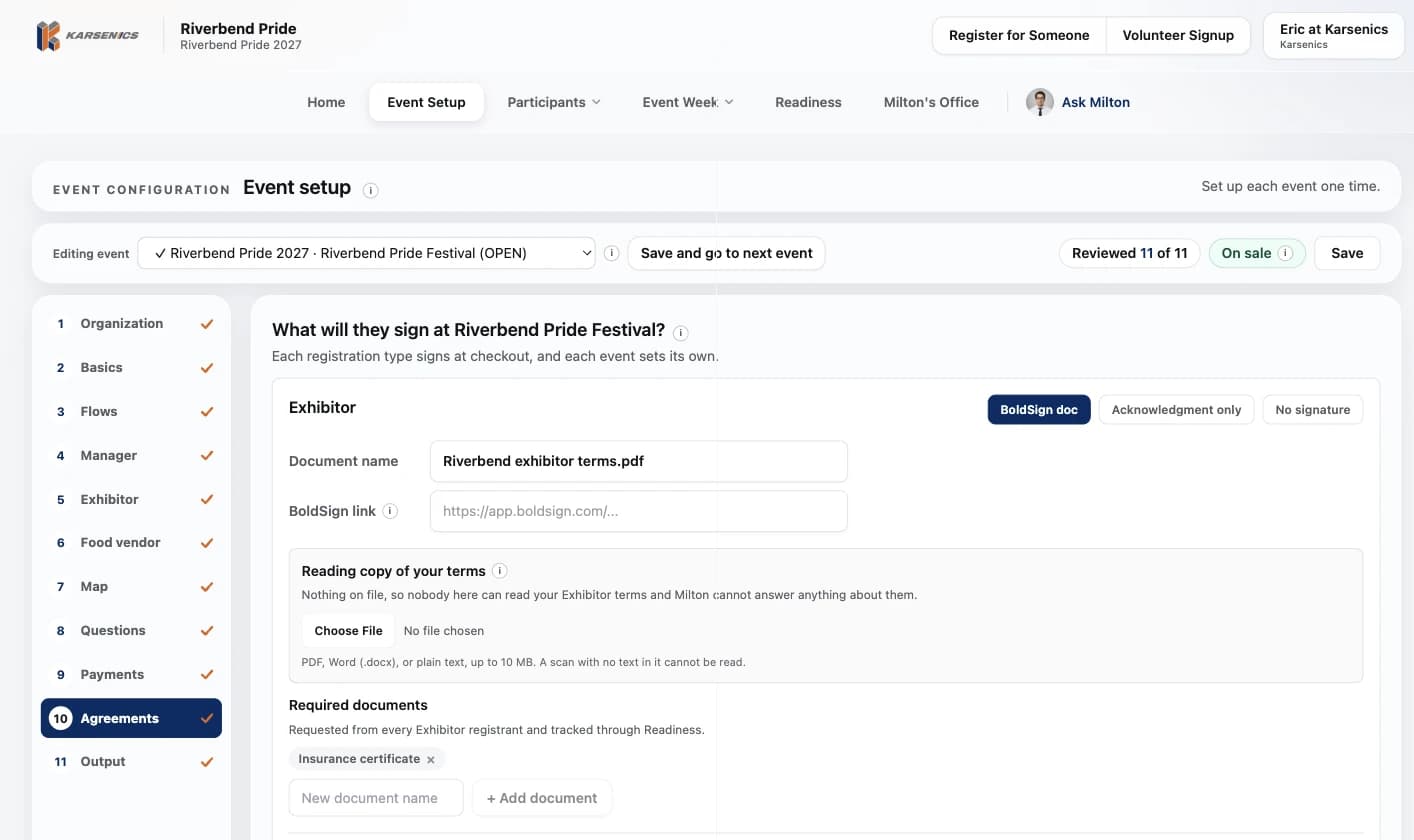
No more chasing PDFs, juggling versions, or wondering who is actually covered.
Handled by hand, agreements mean templates emailed back and forth, signatures that never come back, and no central place to see who has accepted what. Karsenics puts the agreement inside the registration itself, so it is settled before the space is held.
- Contracts emailed as attachments and lost in inboxes
- Signatures chased for weeks right up to event day
- No single view of who has and hasn't accepted
- Multiple versions of the same agreement floating around
Built so every participant ends up under terms they accepted.
Terms per event and type
Each event sets its own agreement for exhibitors, contingents, vendors, and sponsors. Copy one to your other events when the terms really are the same.
Two ways to accept
A typed legal acknowledgment captured at checkout, or your own e-signature document linked into the same flow.
Nothing sells without terms
A registration type with no agreement is held back from your public page until you set one, and Readiness lists each one waiting.
Required documents too
Insurance certificates and permits are listed on the same step, so the agreement and the paperwork travel together.
Chased without you
Switch on a reminder schedule and outstanding items go out as one email per invoice, with upload links, until the record is clean.
Filed against the record
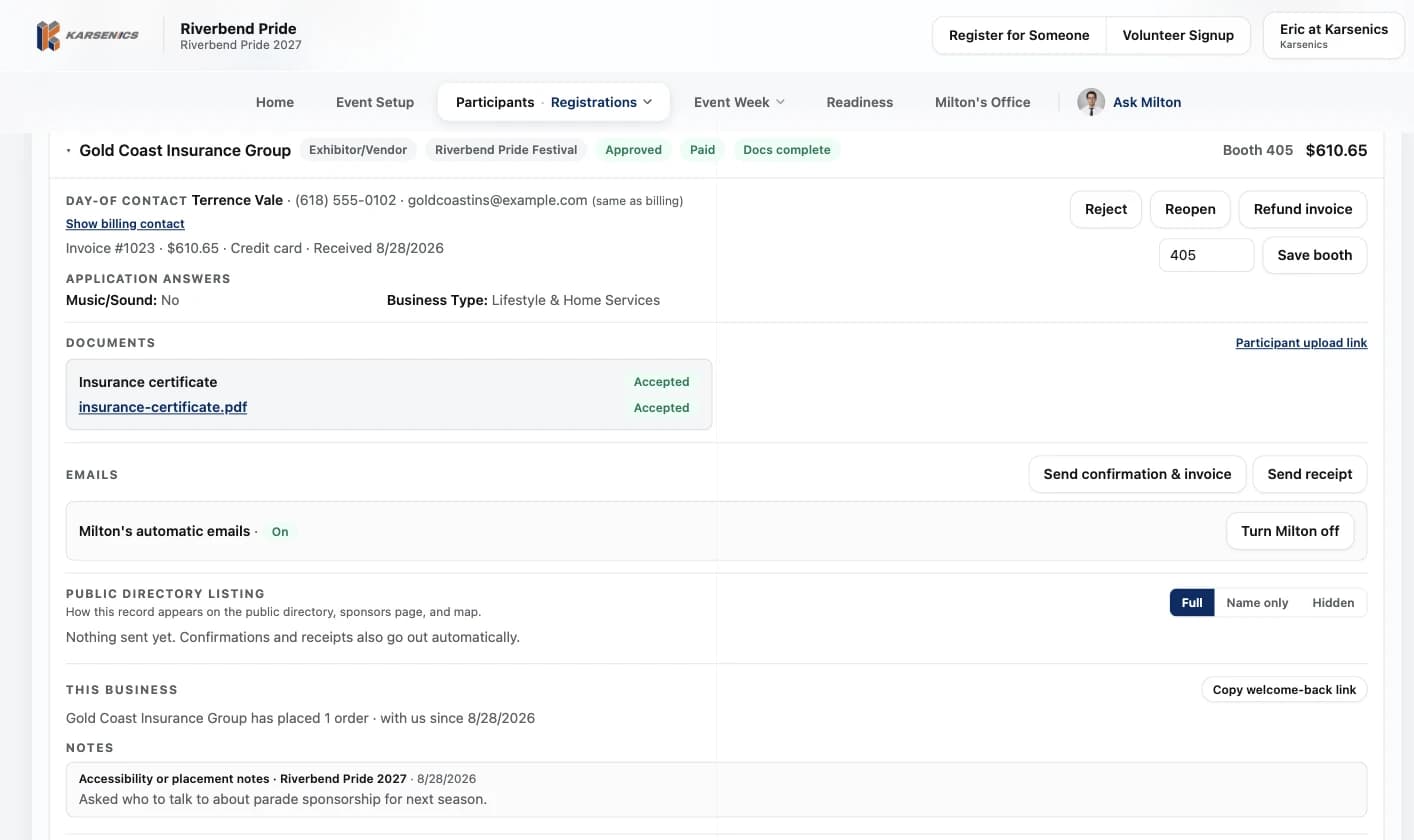
Every acceptance and every accepted document sits on the participant's record for a clean paper trail.
Signed while they register.
The participant sees which document they are agreeing to, types their full legal name, and confirms they have read it. The registration cannot finish without it.
- A typed-name acknowledgment captured inside checkout
- Or your own BoldSign document linked into the same step
- Recorded against the participant with the date

One place to see what each participant accepted.
Open any registration and the documents section shows each required file and whether your team accepted it, beside the invoice, payment and booth.
- Accepted, waiting and missing at a glance
- A private upload link for anything still owed
Ready to stop chasing paperwork?
Let's walk through the documents your event would collect.